Field note 06 / Screen-free
Screen-free controls still need an interface
Removing a display shifts work to objects, labels, sound, and memory. Those choices deserve the same scrutiny as an app.
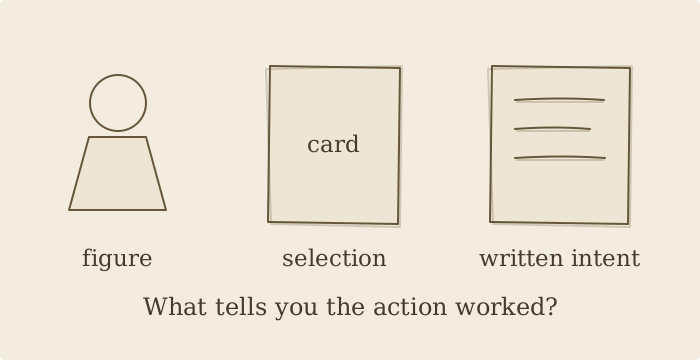
What becomes visible instead?
A screen is one way to show available choices and system state. Remove it, and the information must go somewhere. The catalog describes Tonies through figurine-triggered audio, Yoto through a screen-free audio-player format, and Ugmonk Analog through physical task cards. These examples make selection or intention tangible, but their workflows and users are different.
Separate choosing from setup
A simple daily action can depend on a more complicated setup elsewhere. When evaluating a physical interface, distinguish the person who prepares it from the person who uses it. Ask what happens before first use, when content changes, and when something goes wrong. “Screen-free” in an editorial tag should not be read as a guarantee that every setup or maintenance step avoids a screen. Check current product documentation.
Inspect the recovery signal
Imagine an expected action produces no result. Can the user tell whether the object was recognized, whether it is ready, or whether another step is needed? A physical cue can be easy to select yet poor at explaining failure. Labels, placement, and feedback matter most when the routine breaks. This is an interface-design exercise; it does not make claims about learning, attention, or wellbeing.
Use a cold-start walkthrough
Put the objects in front of someone who has not seen the setup. Ask them to describe what each action might do before trying it, then compare expectations with the current instructions. Avoid teaching the intended answer first. The gap between expectation and operation shows where the physical design needs clearer signposting. Removing a screen is a beginning for that work, not proof that the work is complete.
Objects referenced
- tonies · TonieboxFigurine-triggered audio cube. Brand reference · Catalog record
- Yoto · Yoto PlayerScreen-free kids' audio player. Brand reference · Catalog record
- Ugmonk · AnalogPhysical card task system. Brand reference · Catalog record
Method: AI-assisted desk analysis of the dated Creative DTC catalog, not hands-on testing. Product formats are attributed to the linked records and brand references; interpretations and sketch prompts are editorial. Brand pages may change. Price, availability, performance, compatibility, and impact are not verified here.
Explore the screen-free collection